Product tour
One system for the whole shop
Jump to the part of the shop you care about most. Every screen and clip is from the real system.
01 / Quoting with real imposition
Quotes that know how the sheet will run
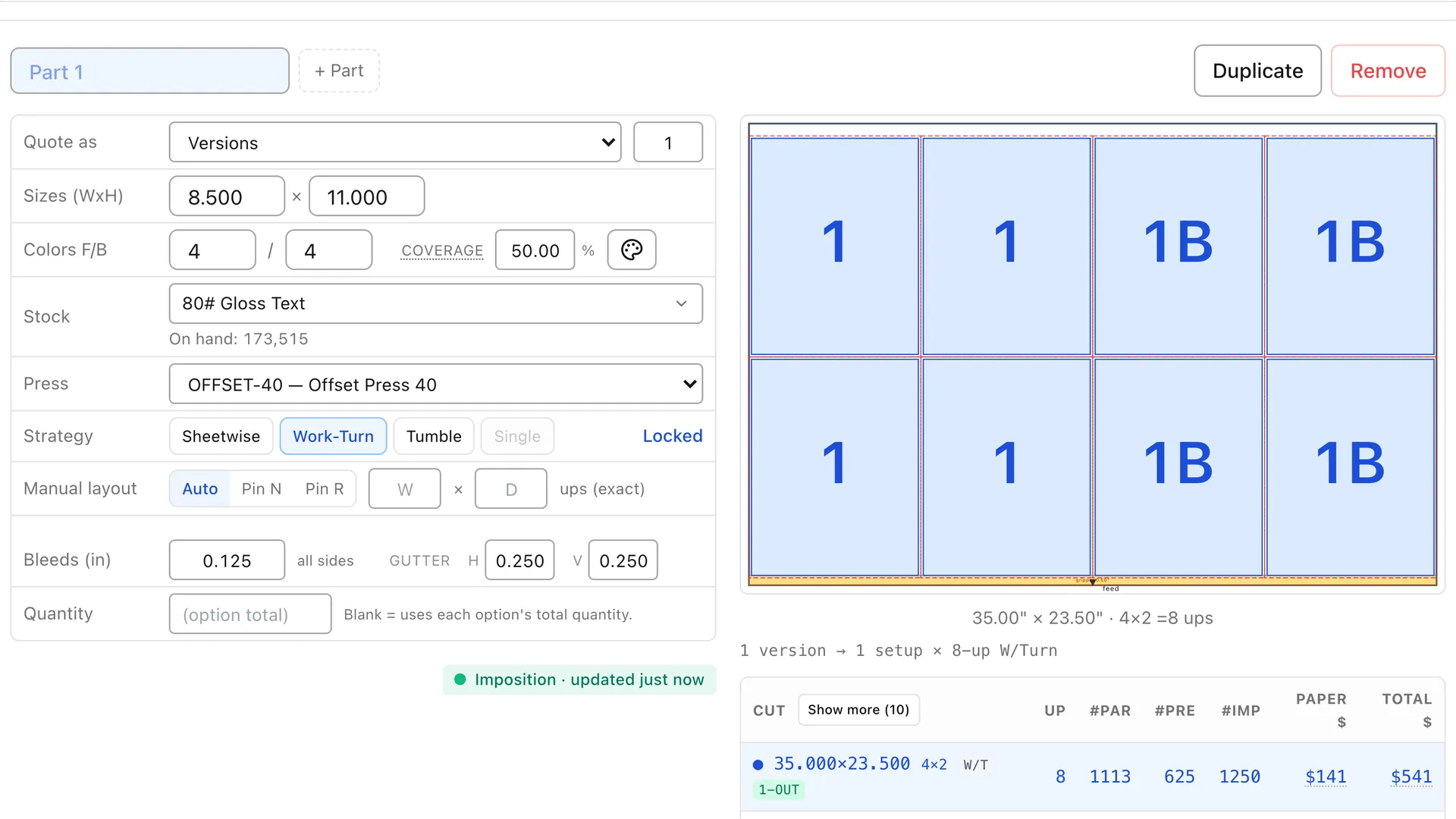
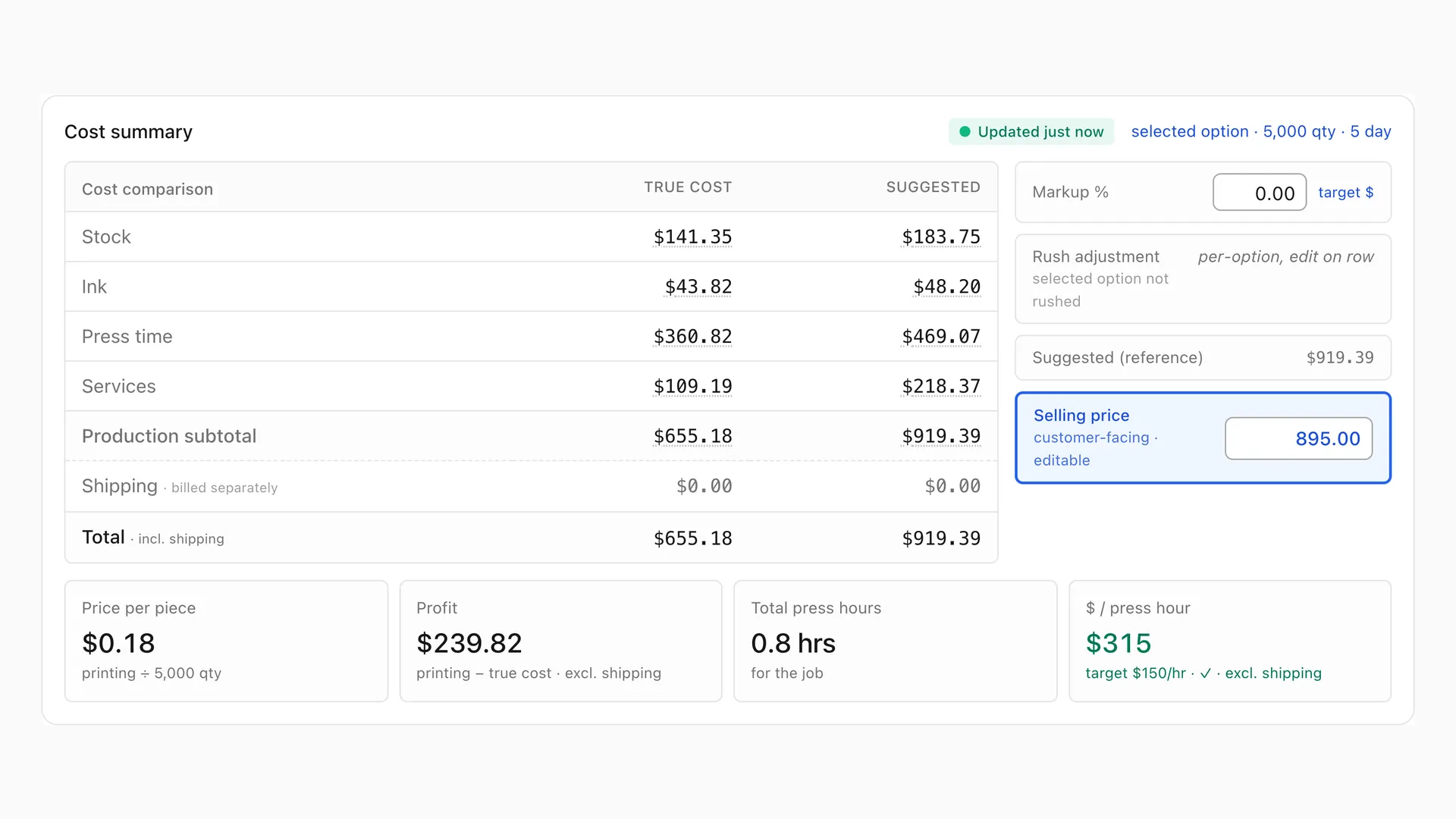
Every estimate starts with an imposition. The layout engine works out how the piece lands on the press sheet, then prices paper, press time and finishing from that layout instead of from a rule of thumb.
- Sheet layout and up-count calculated for each job
- Signatures for booklets and multi-page work
- Work-and-turn and work-and-tumble layouts
- Each press runs a min–max sheet range or a set list of sizes; quotes only pick sheets the press can run, from your stocks’ registered cut sizes
- In-line press coating (e.g. gloss aqueous) picked on the quote, with setup, area cost, make-ready time and coating plates (counted by work style) priced automatically
- Change the stock or quantity and the layout and price update together
- True cost, suggested price and profit per press-hour on every quantity option
02 / Calibrated time estimates
Press and bindery times measured, not guessed
Press and bindery estimates are calibrated against the runs your operators record. When the floor runs faster or slower than the estimate, the cost review shows it step by step, and the rates follow.
- Makeready and run time estimated per press
- Bindery operations timed the same way
- Estimates compared with recorded actuals
- Rates tuned to your equipment, not a generic table
03 / Production boards
Everyone sees the same board
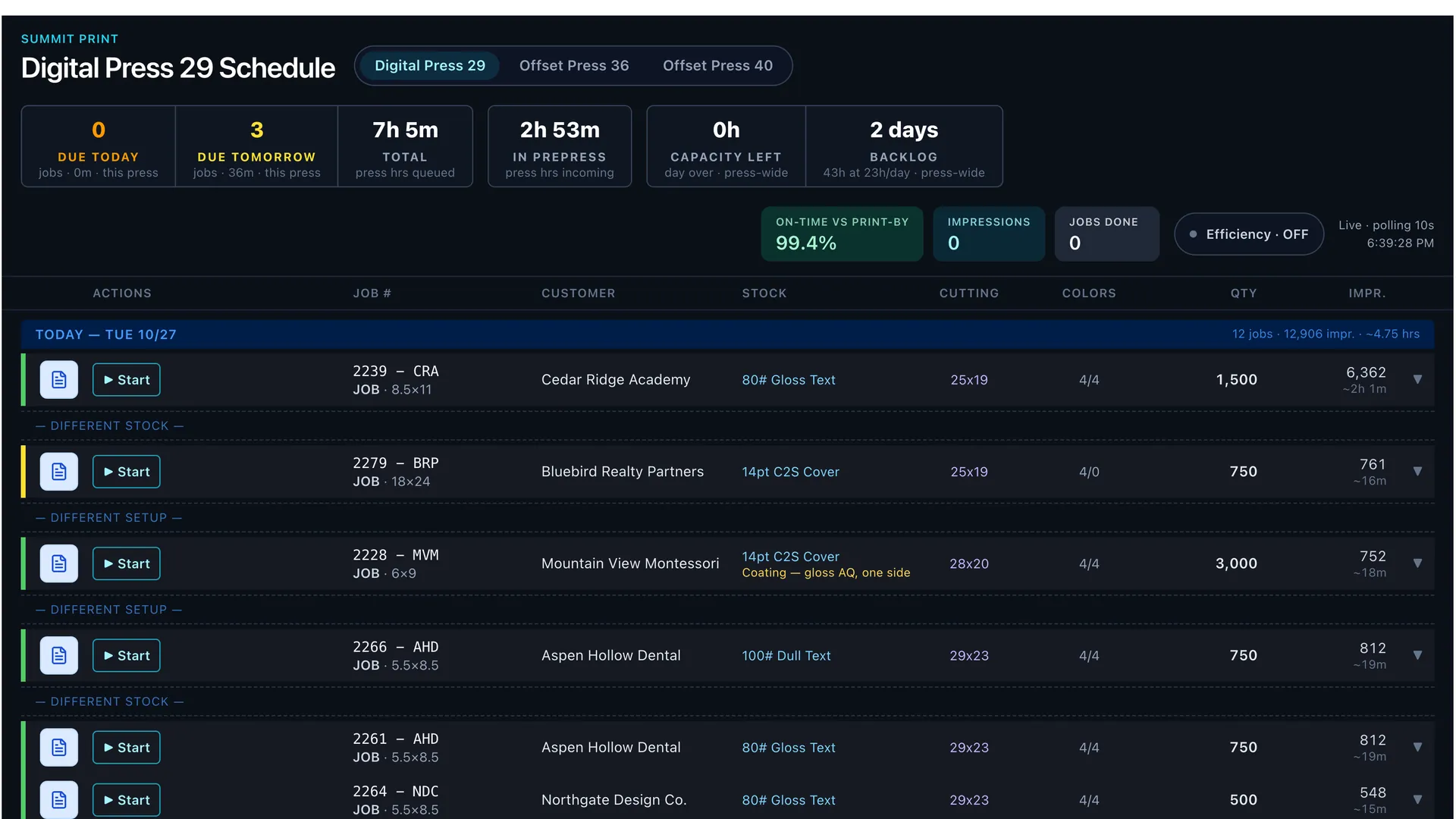
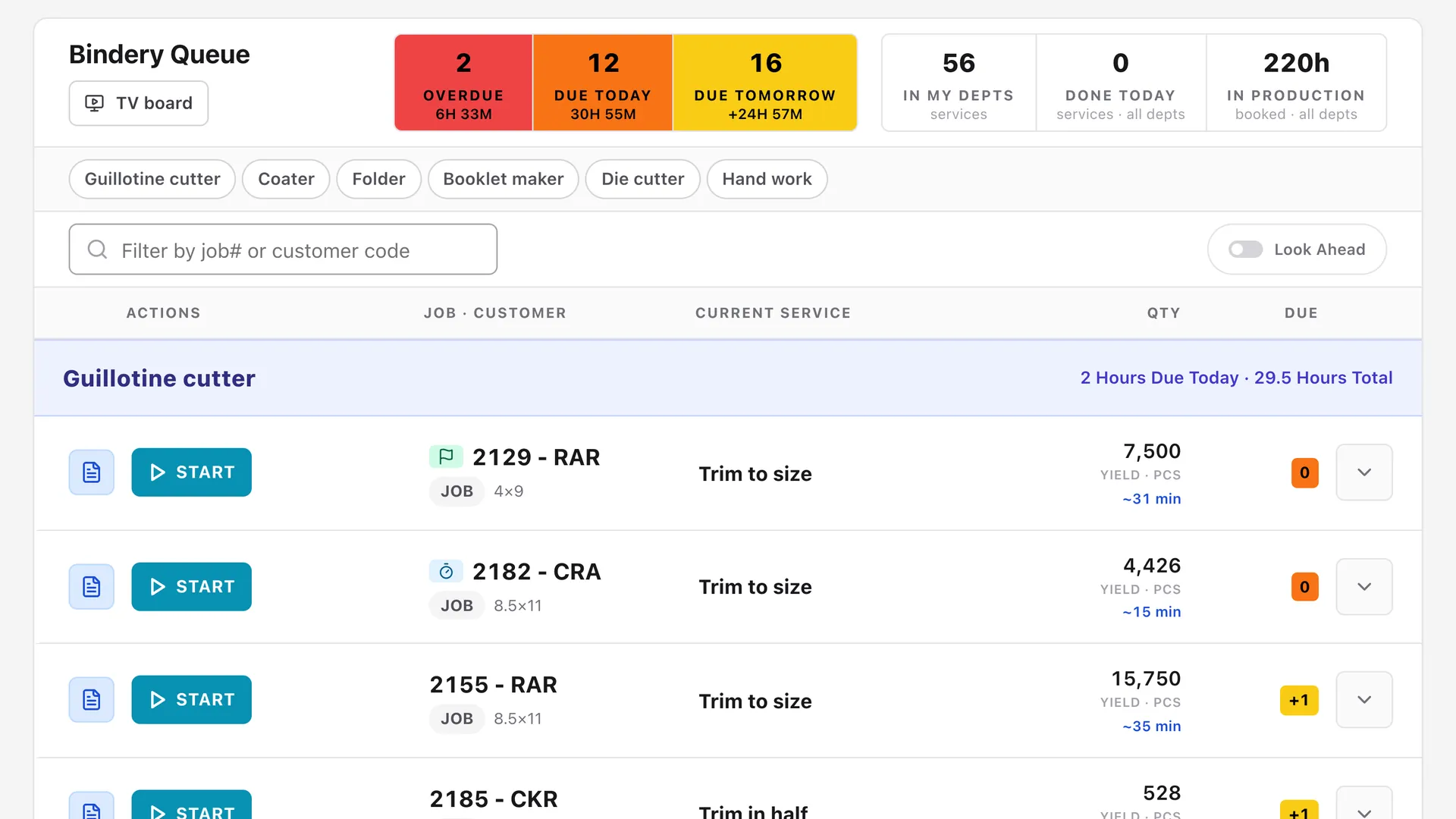
Every press and every bindery machine gets a live board, made to be read from across the room on a wall TV. Operators tap Start and Complete right on the board, the run is timed, and the job moves on to the next department by itself.
- Live boards for prepress, each press and the bindery
- TV wall boards with due, overdue and hours queued at a glance
- Operators tap Start and Complete; runs are timed automatically
- Finished press work lands on the bindery board on its own
- Per service, show its name under the stock on the press board (e.g. “Coating - Gloss UV 1-Side”) or tag the job PRESS CHECK so the pressman opens the ticket
- Every move flows through to the customer tracker
04 / Online proofing
Proof approvals without the email chase
Send a proof and your customer approves it or asks for changes from the link in their email, with no login. The answer is recorded on the job and the card moves on the prepress board, so nobody digs through an inbox to find out whether a job can go to plate.
- Approve and request-changes links for customers, on a phone or a computer
- Responses recorded on the job
- Change requests come back with the customer’s notes and any marked-up file, and the job returns to the prepress board
05 / Shipping
Out the door without retyping addresses
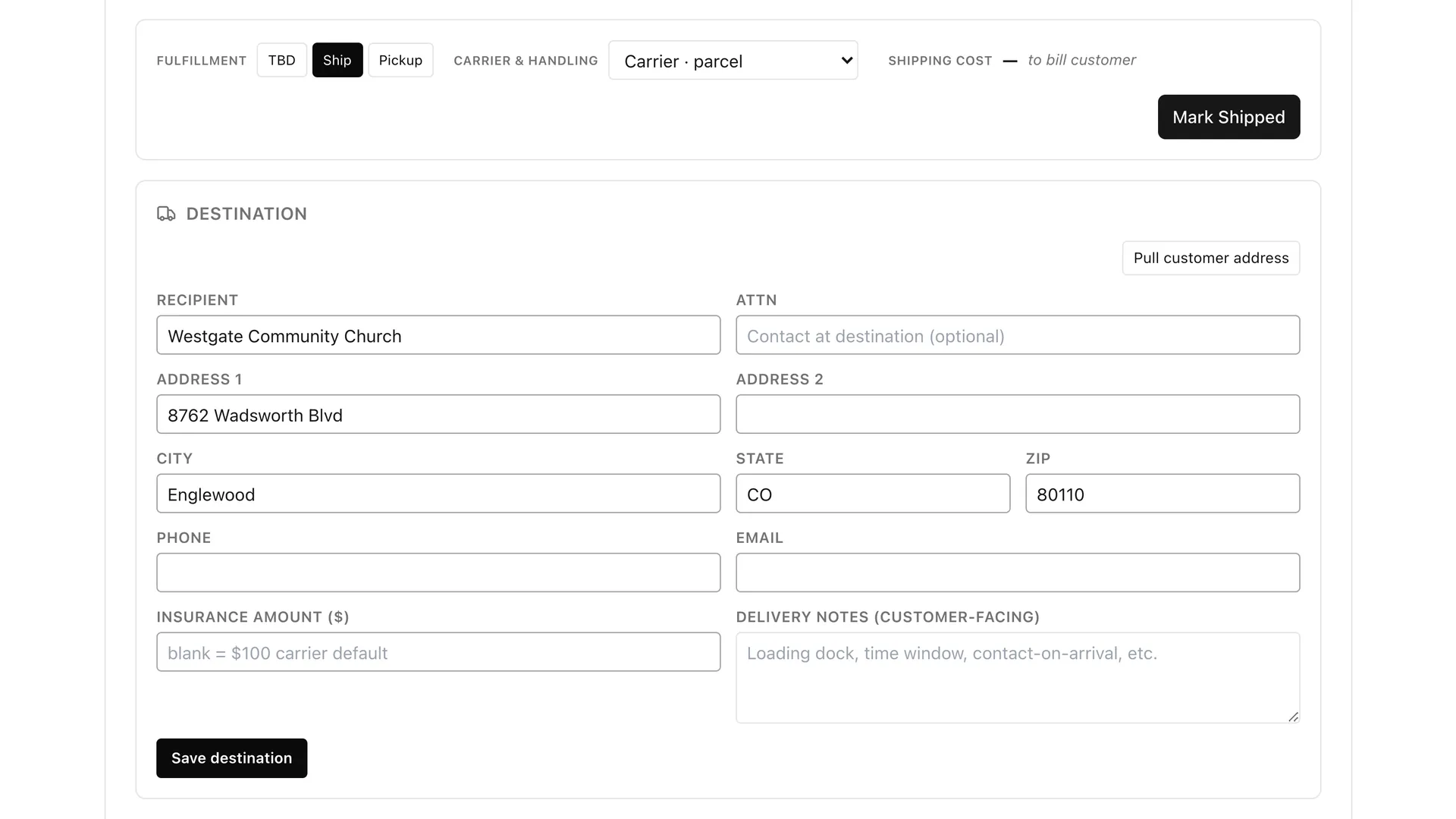
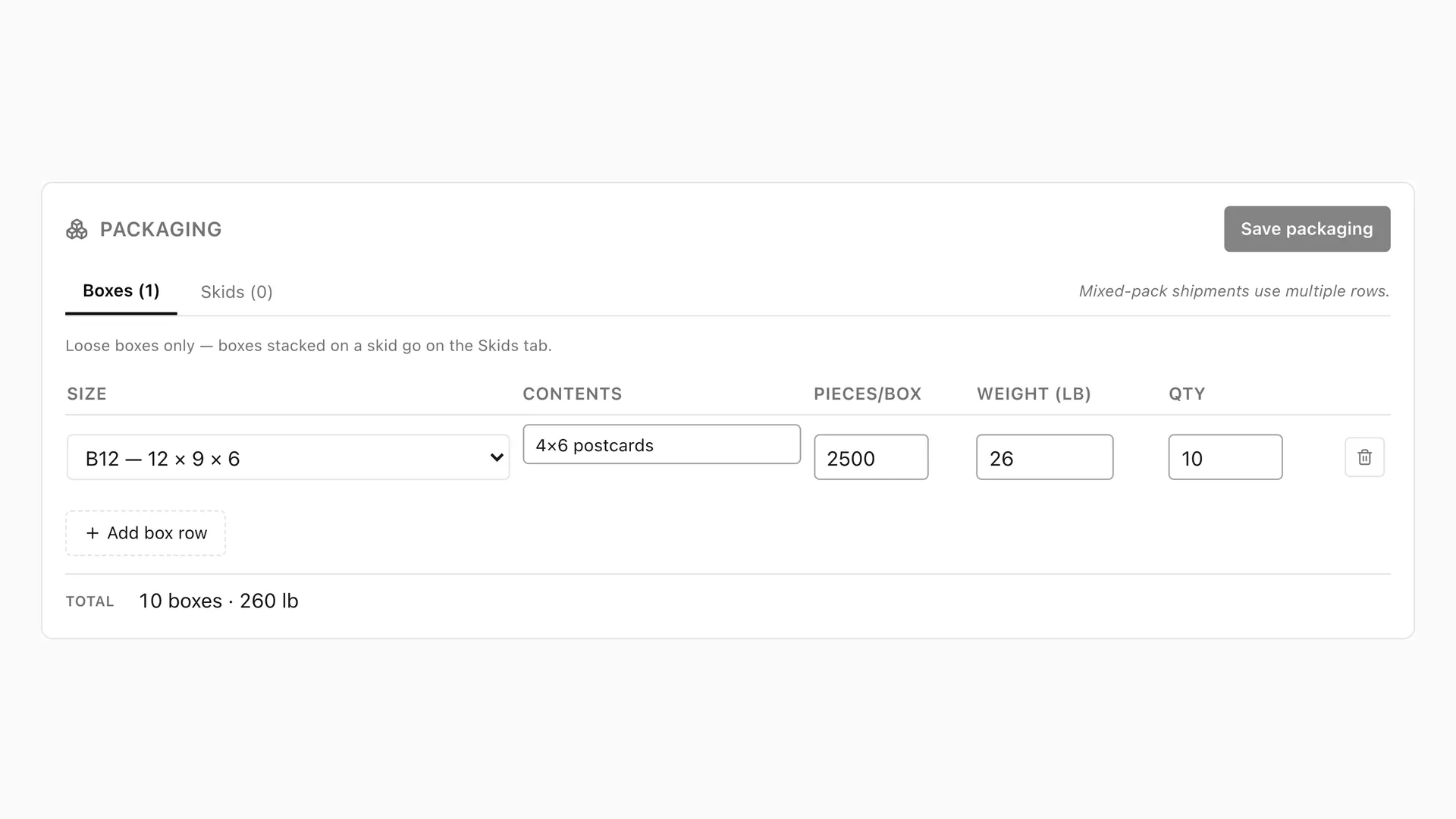
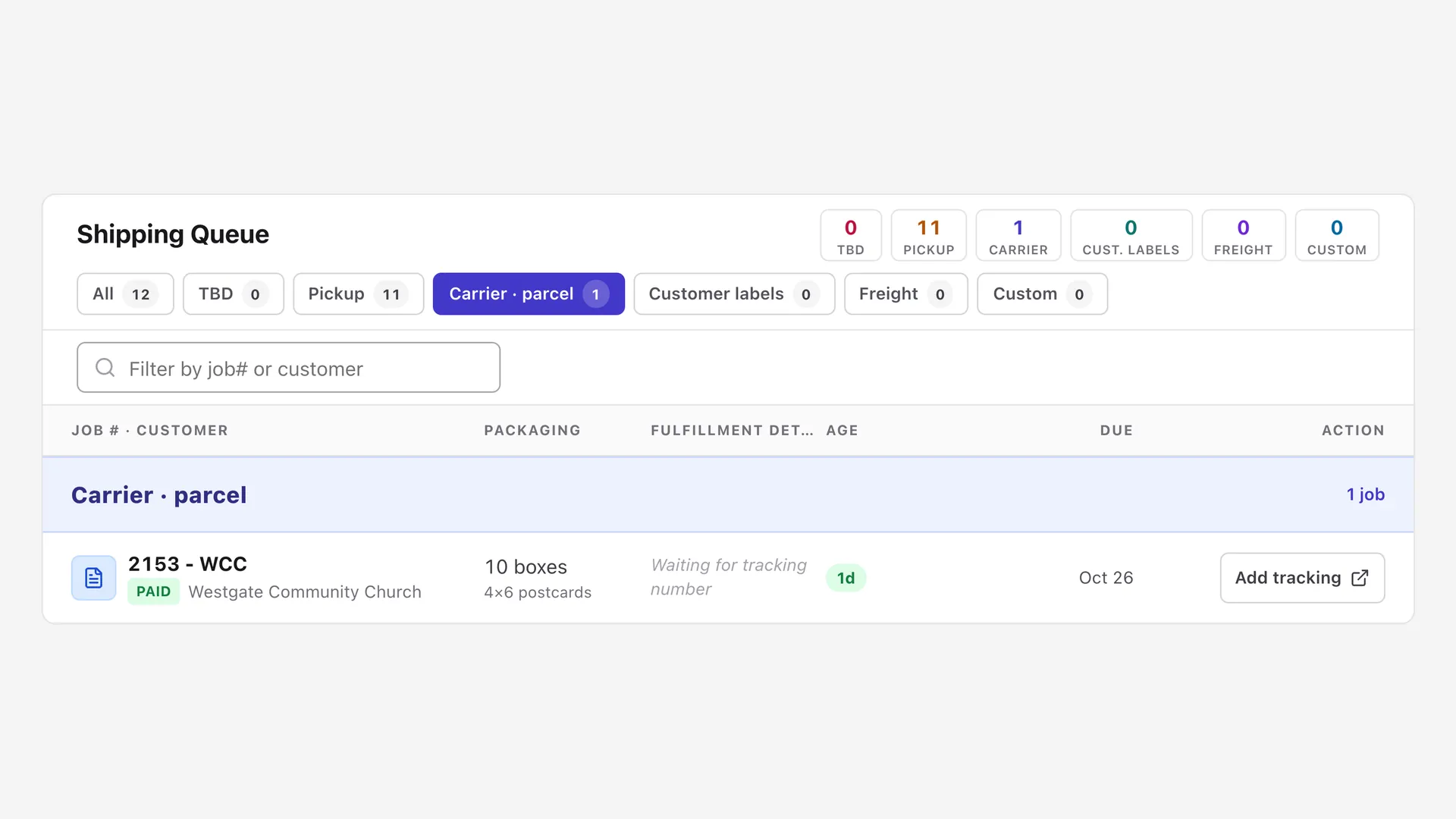
Get live UPS rates on the quote, plan the cartons before they hit the scale, and let customers know when their order is ready for pickup. Hook up a label agent through the API and UPS labels print on their own, with tracking flowing straight to the customer tracker.
- Live UPS rates on quotes
- Box count and shipping weight estimated from the stock and finished size
- Label agent prints UPS labels and records tracking through the API
- Ready-for-pickup emails to customers
06 / Customer job tracker
Customers track their jobs. No login needed.
Every job gets a public tracker link. Customers open it any time to see where their job is, with no login and no account to set up. That answers “where’s my job?” before anyone picks up the phone, without exposing anything internal.
- No login or customer account required
- Public status page for every job
- Updates automatically as the job moves across the boards
07 / Invoicing, QuickBooks & Stripe
Invoices that stay in step with your books
Invoice from the job and sync both ways with QuickBooks Online, so your bookkeeper and your production team are looking at the same numbers. Customers can pay by card through Stripe.
- Two-way QuickBooks Online sync
- Stripe payments for card customers
- Invoice straight from the finished job
08 / Customer hub
Every customer, with the whole history
The customer hub keeps contacts, notes and past jobs together, so whoever answers the phone has the context.
- Customer records with contacts
- Shared notes
- Job and quote history
09 / One-click reorders
Repeat work, one click away
The shipped and ready-for-pickup emails carry a Reorder button. One click from the customer creates a new quote for the same item and quantity, pinned for your review and proofed again before it runs. Staff can reorder any completed job from its row, too.
- Reorder button in the shipped and ready-for-pickup emails
- Creates a quote for the same item and quantity, pinned for review
- Reorder any completed job from the completed-jobs list
10 / Profit & accuracy reports
Know which jobs actually made money
See what every completed job earned against the machine time it tied up, by job, product type or customer, so you know which work to chase and which to stop quoting. Estimate-accuracy reports compare every quote with what really ran.
- Profit per press-hour for every completed job
- By job, product type or customer
- Estimated vs. actual time and cost for every step
11 / AI + open API
Put AI to work on your shop
Ask the most popular AI assistants, including Claude, ChatGPT, Gemini and Grok, about your live shop data in plain English through the built-in MCP connector. Then go further: a documented REST API with scoped keys lets you automate the repetitive work, from importing web-store orders to printing shipping labels, with no screen-scraping bots.
- Read-only MCP connector for Claude, ChatGPT, Gemini and Grok
- Documented REST API (OpenAPI) with scoped, revocable API keys
- Import web-store orders, upload proofs, print UPS labels, draft quotes
- Every change a key makes is in the audit log
Customer files stay in your own storage
Each shop connects its own cloud storage account (e.g. Cloudflare R2 or Amazon S3). Customer files live in your account, and there are no per-file or storage fees from us.
Want to see it on your kind of work?
Bring a recent job. We’ll quote it live, impose it and walk it through the boards.